Recipe Cost Workbook
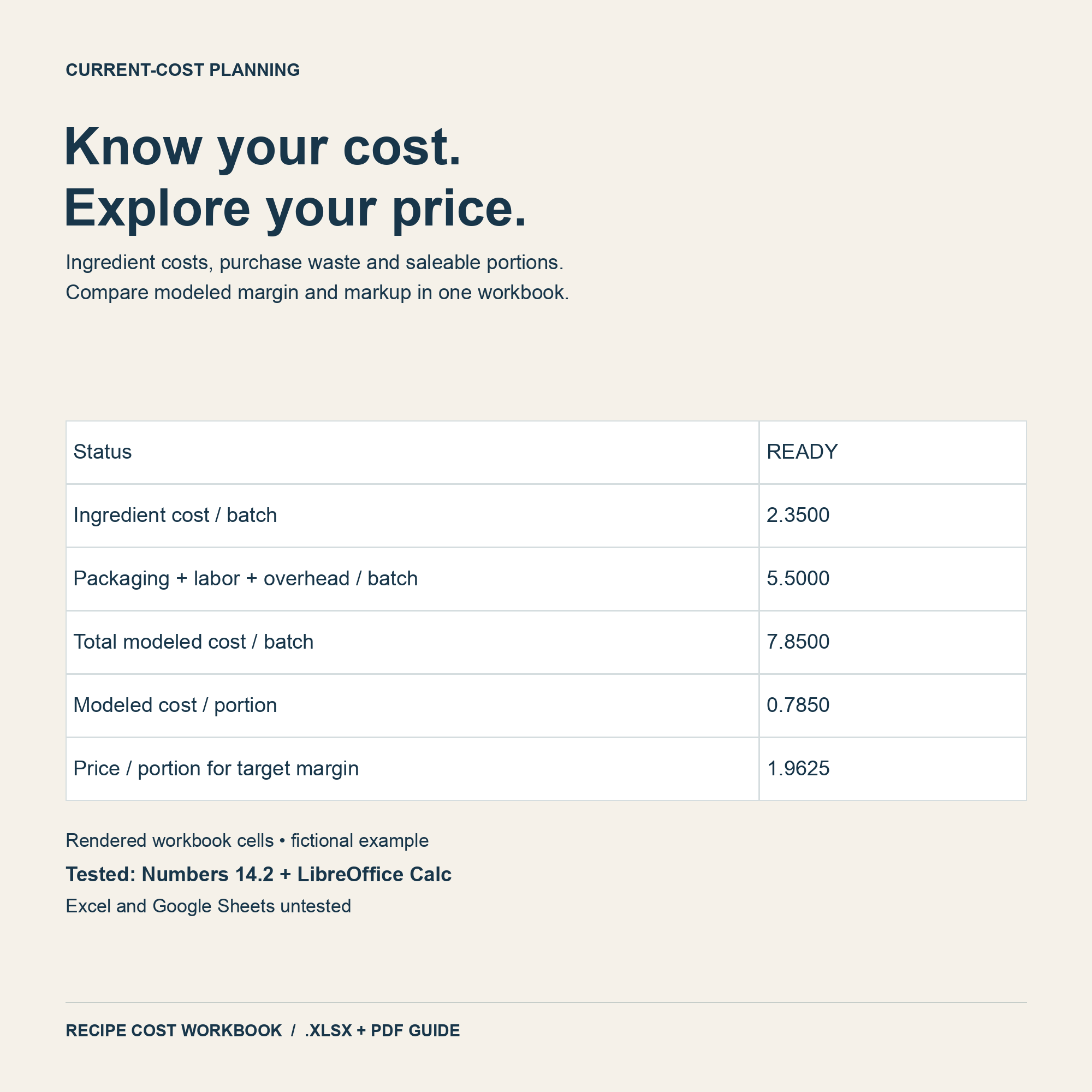
Work out what each batch and each portion really costs, using your own ingredient prices. Then see the price you need for your target margin.
$12 USD
One-time payment · download after confirmation · .xlsx
After paying, click "Return to merchant" to check the confirmation and get your download. Keep that page for future access.
What you get
- Blank workbook to fill in
- Worked example (fictional numbers)
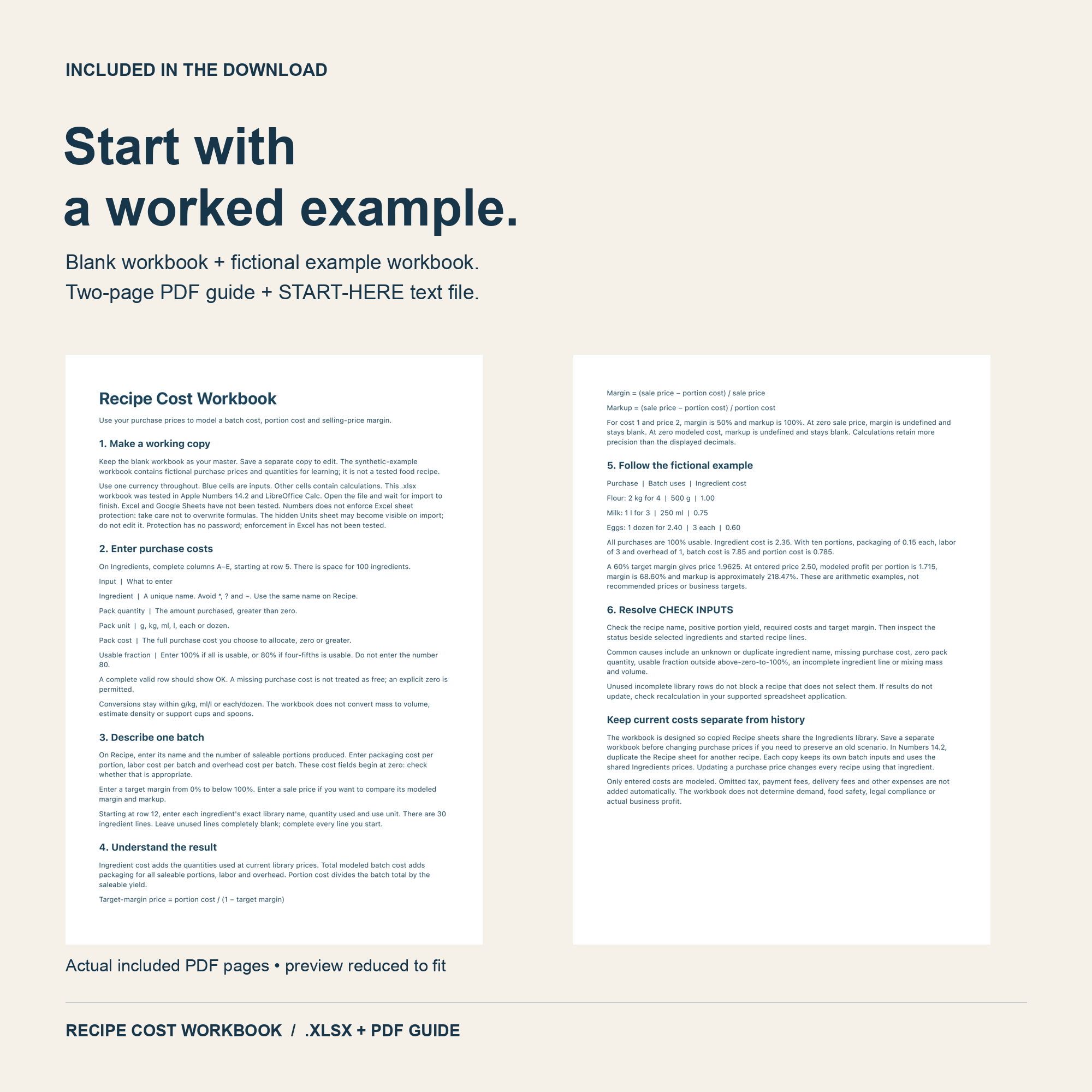
- Two-page PDF guide
- START-HERE file
What it does
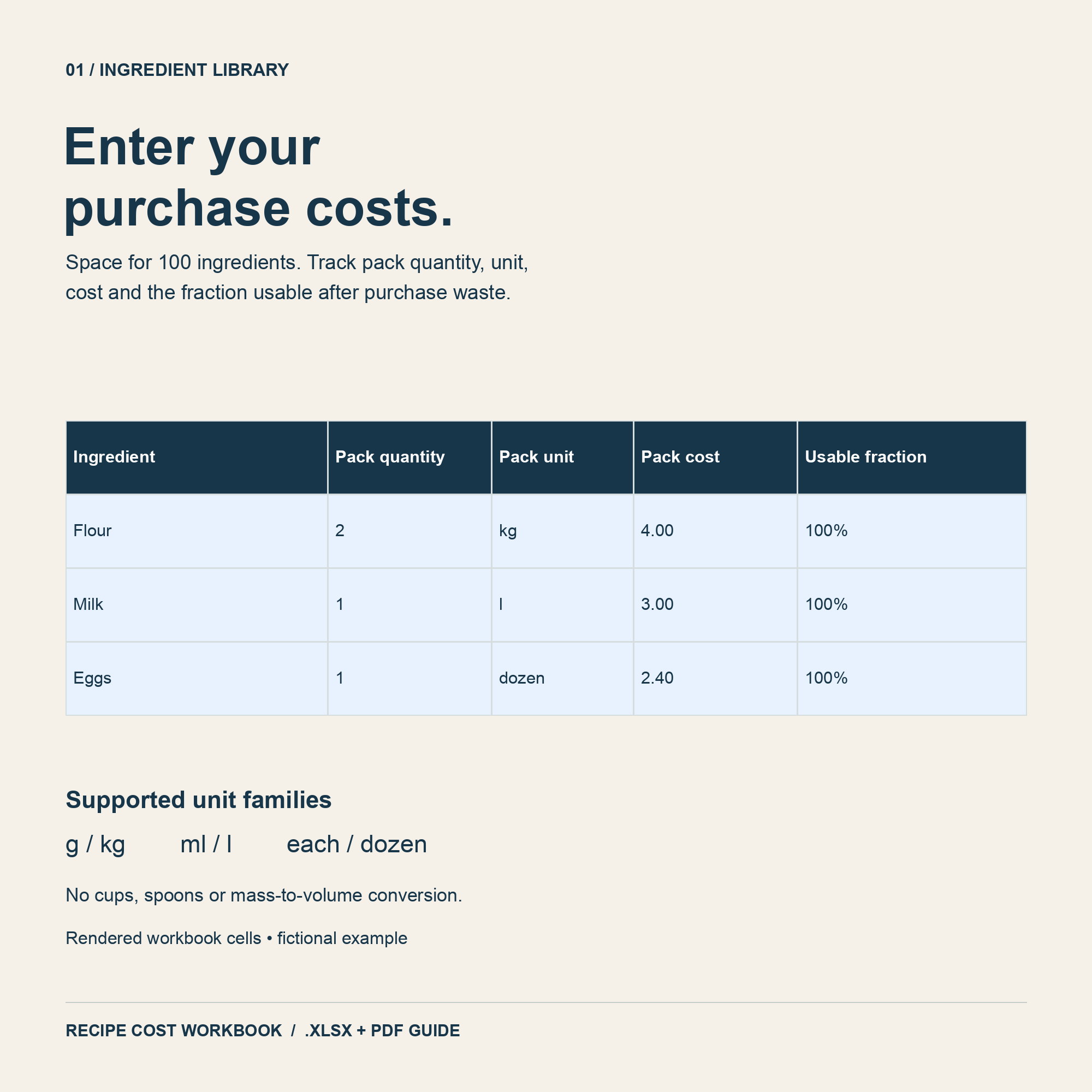
- Ingredient library with room for 100 ingredients
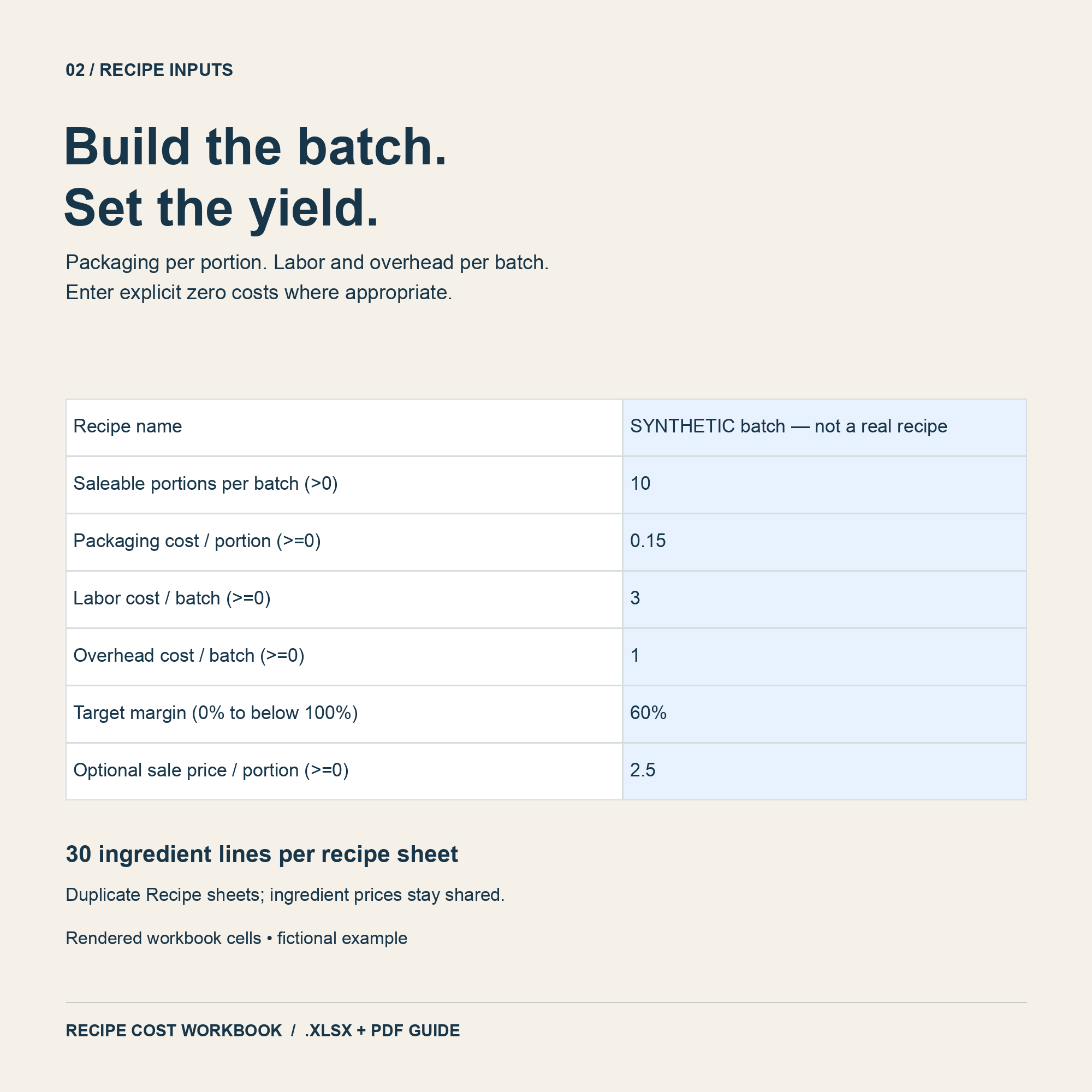
- 30 ingredient lines per recipe sheet; duplicate the sheet for more recipes
- Pack size, pack price and usable fraction (for trim and waste)
- Packaging per portion; labor and overhead per batch
- Batch cost, portion cost and the price for your target margin
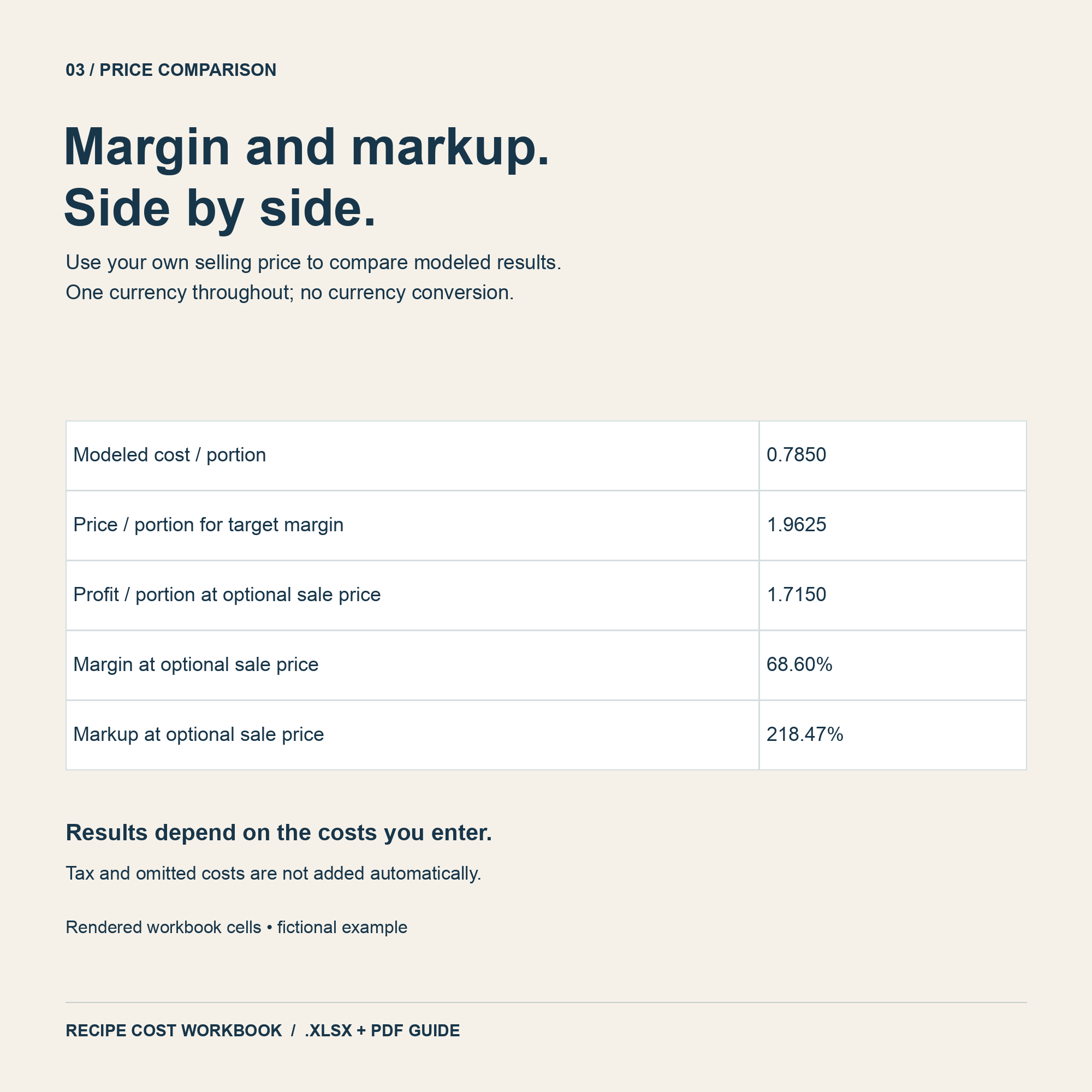
- Compare your actual selling price: profit, margin and markup
Three workbooks for $24
Recipe costing, menu pricing and bakery order tracking in the Food Business Workbook Bundle. Separately $30. Files are separate; copy portion costs between them.
Before you buy
Excel format (.xlsx). Tested in Apple Numbers and LibreOffice Calc. Excel and Google Sheets have not been tested yet. Units: g/kg, ml/l and each/dozen — no cups or spoons. One currency throughout. It plans current costs; it doesn't track stock or sales. Digital file only. In Numbers, sheet protection is not enforced, so take care not to overwrite formulas. The hidden Units sheet may appear after import; do not edit it.
Questions
Can it convert cups into grams?
No. It supports g/kg, ml/l and each/dozen. Weigh or convert other measures before entering them.
Can I use my own currency?
Yes. Enter every amount in the same currency.
What does usable fraction mean?
The share of a pack you can actually use. 80% usable means 20% is lost to trim or waste.
Are margin and markup the same?
No. Margin divides profit by the selling price; markup divides it by the cost. Cost 1, price 2 = 50% margin, 100% markup.
Why are my results blank?
A required input is missing. Check the recipe name, a positive yield, the costs and the target margin; the sheet shows CHECK INPUTS until they're complete.
Didn't get your download?
Use “Resume your order” in this browser or your checkout return link. If the link is lost, email workbook support with your PayPal transaction ID.